
Visual merchandising today is a strategic tool for driving shopper engagement and sales. In an omnichannel retail environment, it combines fixtures, lighting, storytelling, and interactive technology to guide customers through the store and influence purchasing decisions. For brands competing in physical retail, well-executed in-store experiences are no longer optional. They are essential.
Interactive visual merchandising turns static displays into active brand experiences. Digital screens, sensors, augmented reality, and hands-on product interactions invite shoppers to engage, learn, and spend more time with a brand. Unlike traditional displays, interactive solutions respond to shopper behavior in real time, creating more relevant and effective touchpoints.
When aligned with clear objectives, interactive merchandising delivers measurable results, including increased foot traffic, higher conversion on featured products, longer dwell time, and actionable shopper data. These outcomes are achievable with the right strategy, design, and execution.
In this article, we present a practical framework to help brand and retail leaders select the most suitable interactive visual merchandising strategy for their programs. Drawing on our experience across beauty, consumer packaged goods, electronics, and specialty retail, we outline what works, why it works, and how to scale it effectively. As a custom display manufacturer and design partner since 1945, we integrate fixtures, electronics, and content into durable, modular in-store experiences that support long-term programs, strengthen brand loyalty, and drive sales at retail.
Partner with FELBRO Studios to transform your in-store experience—call us today at 925-586-6244 or submit a contact form and unlock interactive visual merchandising that captivates shoppers and drives measurable results.
👉Also Read: 10 Visual Merchandising Mistakes That Could Hurt Your Retail Sales
Understanding Your Brand and Audience Before You Add Interactivity
Technology should never lead the strategy. Before selecting touchscreens, augmented reality, or gamified displays, it is essential to understand your brand identity and your shopper. Even the most advanced interactive solutions will underperform if they do not align with how your brand is positioned or how customers shop.
Mapping Your Brand Personality and Values
Every brand communicates a distinct personality that shapes customer expectations. Interactive visual merchandising must reinforce these traits rather than contradict them. Key dimensions to consider include:
Playful vs. Refined
Youth-driven or lifestyle brands may benefit from bold, energetic interactions, while premium or luxury brands require controlled, consultative experiences.
Minimalist vs. Maximalist
Some brands rely on simplicity and restraint, while others succeed through layered visuals and sensory engagement.
Traditional vs. Innovative
Heritage brands often focus on craftsmanship and credibility, while innovation-led brands highlight technology and forward-thinking design.
Sustainability-Focused vs. Performance-Driven
Eco-conscious brands emphasize materials, sourcing, and impact, while performance brands highlight features, specifications, and results.
Interactive merchandising should reinforce these identity markers. A luxury jewelry brand would not benefit from a promotional game mechanic, while a youth-oriented snack or beverage brand may see strong engagement from that same approach.
Defining Your In-Store Shopper Personas
Understanding who enters the store and their purchase intent determines which interactive strategies are effective. Common in-store personas include:
| Shopper Type | Typical Mission | Interactive Preferences |
|---|---|---|
| Busy parents in grocery stores | Quick replenishment, minimal browsing | Motion-activated content, fast recommendations |
| Tech-savvy Gen Z in streetwear | Discovery, social content, self-expression | AR try-ons, gamified experiences, shareable moments |
| Beauty enthusiasts in specialty retail | Exploration, education, and finding the right products | Shade finders, virtual try-on tools, and ingredient transparency |
| Considered purchasers of electronics | Research, comparison, confidence-building | Guided-sell kiosks, specification comparisons, hands-on demo stations |
Analyzing Real Shopper Behavior
Effective in-store visual merchandising decisions are grounded in data, not assumptions. Retail analytics provide clear insight into how shoppers interact with the space:
- Heatmaps identify high- and low-engagement zones
- Traffic counters measure pass-by versus stop rates
- POS data links display investment to SKU-level sales performance
- Dwell-time tracking reveals which visual elements sustain attention
Between 2023 and 2025, leading brands increasingly relied on these insights to optimize store layouts and display placement. For example, entrance-endcap locations often receive multiple times the traffic of mid-aisle fixtures, making them ideal for high-impact interactive installations.
A Practical Example: A Regional Organic Snack Brand
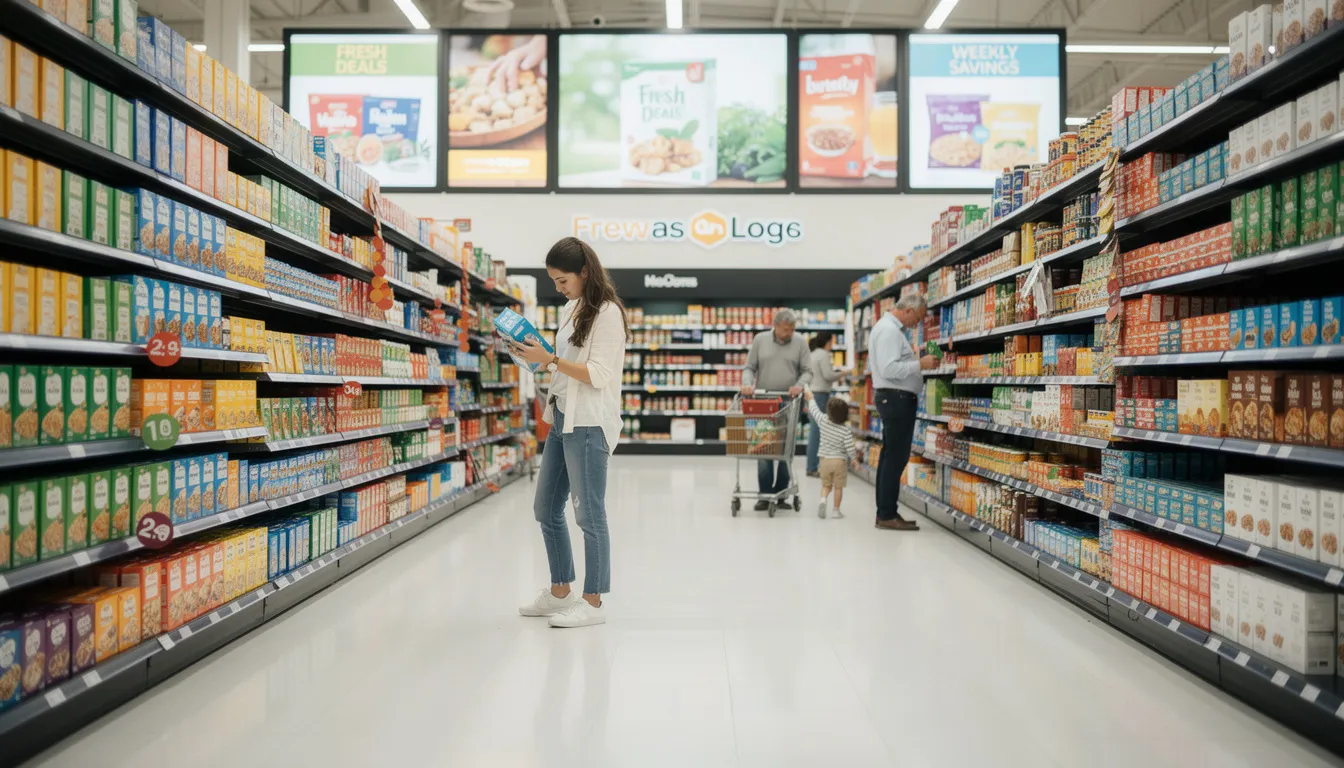
Consider a regional organic snack brand expanding from e-commerce into a brick-and-mortar store. The brand is approachable, health-focused, and transparent. Its core shopper is a wellness-oriented parent who reads labels and values ingredient clarity.
Effective interactive choices might include:
- Ingredient transparency touchscreens that explain sourcing and nutrition
- Interactive recipe content that shows how the product fits into everyday meals
Less effective options would include promotional games or complex augmented reality features that do not support a considered purchase decision.
The takeaway is simple: successful interactive visual merchandising starts with alignment. When brand identity, shopper behavior, and technology work together, interactivity becomes a performance driver rather than a distraction.
👉Also Read: Top Luxury Retail Display Ideas to Boost Winter and January Sales
The Role of Interactive Visual Merchandising in Modern Stores
Interactive visual merchandising extends far beyond static endcaps and traditional window displays. By integrating electronics, dynamic content, and responsive technology, it transforms shopper interactions into experiences that educate, entertain, and drive purchase decisions in real time.
Types of Interactive Visual Merchandising Elements
Retailers now have access to a wide range of interactive tools, including:
- Touchscreen kiosks for product finders, configurators, and guided-sell flows
- Embedded monitors with motion-activated content that respond when shoppers approach
- RFID-triggered lighting and video that activate when products are picked up or placed on demo surfaces
- Augmented reality (AR) try-on mirrors for cosmetics, eyewear, apparel, and accessories
- Virtual reality (VR) demos for complex products, such as home renovation solutions or automotive features
- Gamified displays with leaderboards, instant rewards, or time-limited challenges
- Interactive shelf strips with LED lighting that highlight key products based on inventory or promotions
Measurable Benefits of Interactive Display Systems
Investing in interactive merchandising delivers tangible, quantifiable results:
| Benefit | Typical Impact |
|---|---|
| Dwell time at fixture | 30–40% increase versus static displays |
| Attachment rates on promoted SKUs | 15–25% lift |
| Shopper satisfaction scores | Noticeable improvement in brand perception |
| Behavioral data quality | Detailed insights on what shoppers touch, view, and consider |
Research shows AR-driven experiences can boost purchase intent by up to 40%, while personalized digital pathways lift conversions by 25–35%. These results are not marginal—they represent significant, measurable improvements in sales performance.
Examples of Successful Interactive Campaigns
At Felbro Studios, we have helped brands translate their retail vision into interactive experiences that capture attention, educate shoppers, and drive measurable sales. A few examples illustrate the impact of well-executed campaigns:
Interactive Beauty Shade Finder Stations
Several beauty brands use touchscreen stations that guide shoppers through skin tone analysis, preference questions, and personalized shade recommendations. Shoppers typically engage for 2–3 minutes, leaving with confidence in their selection, which reduces return rates. These stations combine physical testers with digital content, creating a seamless, informative experience that maximizes both engagement and conversion.
Electronics Demo Tables with Touchscreens and LED Lighting
In consumer electronics, interactive demo tables allow shoppers to compare product specifications, watch tutorial videos, and experience products firsthand. Integrated LED lighting highlights featured items, while touchscreens provide detailed information that supports confident purchase decisions. These interactive setups consistently outperform static displays, delivering 2–3 times higher engagement metrics.
Supporting Omnichannel Strategy
Interactive retail displays create seamless connections between physical stores and digital platforms. Shoppers can:
- Scan QR codes to access detailed product pages on their devices
- Save wishlists to loyalty apps for later online purchases
- Unlock exclusive online content through in-store interactions
- Share experiences via integrated user-generated content
This integration allows online-first brands to extend their digital experience into physical retail, while traditional retailers gain the data and engagement insights that e-commerce platforms have long leveraged.
At Felbro Studios, we integrate sensors, LEDs, tablets, and analytics modules directly into custom POP and fixtures. Our end-to-end approach streamlines implementation for teams in the retail industry, ensuring that technology and physical design work together seamlessly.
👉Also Read: How to Build a Successful Shop-in-Shop: Complete Guide from LA’s Leading Luxury Retail Display Manufacturers
Key Factors to Consider When Choosing Your Interactive Strategy
Selecting the right interactive visual merchandising strategy requires balancing five interconnected factors: budget, space, experience goals, brand consistency, and measurability. Each factor acts as a filter—if a concept doesn’t meet all five, it should be refined or deprioritized.
The guidance below reflects current best practices for 2026 and beyond, with practical numbers and actionable insights.
Budget and Internal Resources
Interactive displays cover a wide cost spectrum. Understanding typical investment ranges helps set realistic expectations.
Cost Drivers:
- Custom fixture fabrication (materials, engineering, production)
- Integrated lighting and screens (commercial-grade displays, mounting, wiring)
- Content creation (video, animations, UI/UX design)
- On-site installation (labor, logistics, coordination)
- Ongoing service and maintenance (repairs, updates, monitoring)
Investment Tiers:
| Solution Type | Typical Cost Range | Best For |
|---|---|---|
| Motion-activated LED headers | $2,000 – $5,000 per unit | Drawing attention to key zones, seasonal highlights |
| Non-touch digital signage | $5,000 – $10,000 per unit | Flexible content delivery, promotional messaging |
| Touchscreen kiosks | $8,000 – $15,000 per unit | Product education, guided selling |
| Multi-touch tables | $15,000 – $25,000 per unit | Immersive exploration, flagship experiences |
| AR mirrors and experiences | $20,000 – $50,000+ per program | Virtual try-on, destination experiences |
Strategic Budget Allocation:
- Pilot programs (10–30 stores): Test concepts, gather data, and refine before broader rollout
- Regional rollouts (50–150 stores): Validate at scale and optimize operations
- National deployments (200+ stores): Maximize ROI with proven solutions
Ongoing costs—content updates, staff training, and maintenance—are essential. Stale displays lose effectiveness quickly. At Felbro Studios, we value-engineer concepts by adjusting materials, components, and production methods to meet budget targets without compromising the customer experience.
Store Layout and Space Constraints

Every retail environment has unique opportunities and limitations. Interactive displays must integrate seamlessly without disrupting traffic or violating safety and ADA requirements.
Mapping Traffic Patterns:
- Entrances: High visibility, ideal for attention-grabbing displays
- Power aisles: Heavy traffic, suitable for quick engagement
- Dead zones: Underperforming areas that interactive displays can revitalize
- Checkout areas: Short interaction windows, impulse opportunities
- Endcaps: Natural stopping points for deeper engagement
Right-Sizing Solutions:
| Store Format | Space Reality | Recommended Approach |
|---|---|---|
| Compact specialty retail | Limited floor space, vertical opportunities | Slim wall displays, interactive shelf strips, compact kiosks |
| Standard grocery/big-box | Defined gondola runs, strict planogram rules | Endcap-integrated screens, overhead signage, shelf-edge strips |
| Flagship/destination stores | Open layouts, experience zones | Full interactive walls, demo lounges, AR zones |
Practical Infrastructure Considerations:
- Access to power and data
- Concealed wiring for clean aesthetics
- ADA compliance (reach ranges, accessibility)
- Traffic flow preservation (minimum aisle widths, sightlines)
Felbro Studios addresses these details during design and engineering, ensuring fixtures install cleanly and function reliably across diverse environments. Modular solutions that can shrink, expand, or reconfigure are ideal for programs ranging from 50 to 500 stores.
Customer Experience Goals
Every interactive display should serve a clear purpose. The three dominant goals are:
- Educate: Ideal for complex or feature-rich products where shoppers need information to decide confidently. Examples include appliance comparison kiosks, ingredient transparency screens, and installation tutorial displays.
- Entertain: Builds brand affinity, extends dwell time, and creates memorable experiences. Examples include lifestyle storytelling videos, gamified challenges, and shareable AR interactions.
- Convert: Drives immediate action through upselling, cross-selling, or trial encouragement. Examples include personalized recommendations, limited-time offer displays, and sample dispensing with digital engagement.
Matching Goals to Installations
| Product Category | Primary Goal | Secondary Goal | Example Interactive |
|---|---|---|---|
| Consumer electronics | Educate | Convert | Guided-sell kiosk with specification comparisons |
| Fragrance/beauty | Entertain | Convert | Sensory exploration wall with lighting and video |
| Grocery/CPG | Convert | Educate | Recipe display that prints shopping lists |
| Home improvement | Educate | Convert | Project visualizer with product recommendations |
At Felbro Studios, we blend digital and physical elements—combining testers or samples with screens, NFC, or QR code tie-ins—to meet your specific experience goals.
Script the Shopper Journey: Define how customers approach, what they touch first, what they learn or experience, and how they leave—ideally with a product in hand or an offer on their device.
Brand Consistency and Aesthetics
Interactive fixtures must feel like a natural extension of your store environment, packaging, and online presence. Misalignment can create cognitive dissonance that erodes shopper trust.
Design Considerations
- Materials: Wood, metal, acrylic, or sustainable options that reflect your brand’s tactile language
- Color matching: Precise Pantone alignment across physical and digital elements
- Typography: Consistent fonts on screens and printed elements
- Logo treatments: Correct placement, sizing, and lighting
- Interface style: Luxury brands require minimal, refined interactions; youth-oriented brands can use bold animations and high-energy content
Maintaining Consistency at Scale
For programs spanning hundreds of stores, shoppers should experience the same core brand elements whether in New York, Chicago, or Los Angeles. Key requirements include:
- Standardized fixture specifications
- Centralized content management
- Clear brand guidelines for interactive elements
- Quality control during manufacturing and installation
Felbro Studios’ design and engineering teams produce prototypes and finish samples, allowing brand teams to review aesthetics and functionality before full production. This ensures signage, in-store fixtures, and digital content align perfectly with brand identity.
Measurability, Analytics, and ROI
Every interactive display should launch with measurable KPIs. Without data, you are decorating rather than merchandising.
Key Metrics to Track
| Metric | Measurement Method | Why It Matters |
|---|---|---|
| Engagement rate | Touch tracking, motion sensors | Shows whether shoppers interact with the display |
| Average interaction time | Session tracking | Indicates depth of engagement |
| Product lift vs. control stores | POS data analysis | Connects display performance to actual sales |
| Incremental revenue per sq. ft. | Floor productivity analysis | Justifies retail space allocation |
Structuring Tests
- Run A/B tests comparing interactive and static displays over 8–12 weeks
- Use comparable control stores to isolate display impact
- Track weekly or monthly to identify trends and optimize performance
Reporting Cadence
Establish dashboards to guide decisions on content refinement, fixture relocation, or program expansion. Data should flow to both marketing and operations teams for actionable insights.
At Felbro Studios, we integrate hardware capable of sending usage data to analytics platforms, enabling retail and brand teams to validate ROI and secure investment for scaled rollouts.
👉Also Read: From Concept to Retail Floor in Los Angeles: How Retail Display Prototyping Brings Brand Vision to Life
Best Practices for Implementing Interactive Visual Merchandising
Even the best concept can fail without disciplined execution. These field-tested practices address the real-world challenges of multi-store interactive display programs.
Prioritizing Simplicity and Ease of Use
Shoppers should know how to interact immediately. Complicated instructions or unclear interfaces lead to frustration and disengagement.
Design Principles:
- Clear calls to action: “Tap to begin,” “Wave to start,” illuminated buttons
- Large touch targets suitable for all hand sizes
- High-contrast visuals for legibility under varying lighting conditions
- Minimal, accessible copy
- Maximum of three taps to reach any destination
Testing Before Launch: Conduct user testing with a small group of shoppers or store associates. Observe interactions without guidance—friction points become immediately apparent.
Blending Digital and Physical Elements
The most effective interactive displays connect digital content to tangible products. Screens, demo units, and virtual recommendations should complement the physical shopping experience.
Integration Examples:
- LED-lit shelves highlighting recommended products
- Video tutorials synced with physical tool displays
- Touch kiosks printing SKU lists for adjacent gondolas
- AR mirrors positioned near product samples for immediate engagement
At Felbro Studios, we engineer fixtures where wiring, sensors, and screens integrate seamlessly into cabinetry, headers, and shelving—maintaining clean aesthetics while ensuring functionality. Every interaction should guide shoppers to a clear next step: pick up a product, scan a code, or ask an associate.
Piloting, Testing, and Scaling Strategically
Structuring Pilots:
- Select 10–30 representative stores across different geographies and formats
- Define clear test and control groups
- Establish baseline metrics before installation
- Run pilots for 8–16 weeks to gather meaningful data
Iteration Between Phases: Refine content playlists, fixture placement, and interaction flows based on analytics and staff feedback. Scale only concepts that demonstrate strong performance. Felbro Studios provides multiple prototype variants—different form factors, lighting, or screen sizes—to identify top performers before production investment.
Training Store Teams and Maintaining the Experience
Store associates must understand display functions, basic troubleshooting, and how to integrate the interaction into customer conversations.
Training Approaches:
- Short, visual job aids (laminated cards, QR-linked videos)
- Micro-training modules via retailer LMS or communication tools
- Manager certification before store activation
Maintenance Requirements:
- Regular cleaning of screens and sensors
- Weekly functionality checks (LED, audio, connectivity)
- Defined escalation paths for technical issues
Felbro Studios designs fixtures for easy service access with hinged panels and quick-change components and coordinates with field teams or third-party installers for ongoing maintenance.
Refreshing Content and Keeping Displays Relevant
Static content quickly loses impact. Displays that never change become invisible to shoppers.
Content Calendar Guidelines:
- Major updates quarterly to align with seasons and campaigns
- Minor playlist changes during peak periods (holidays, back-to-school)
- Real-time updates for promotions and inventory changes
Data-Driven Updates: Use performance analytics to prioritize refresh efforts. Underperforming videos or flows should be replaced rather than left to run stale.
👉Also Read: What is the Shop in Shop Model? How Brands Are Winning at Retail with Embedded Store Concepts
Bring Your Brand to Life with Interactive Retail Displays
The most effective interactive visual merchandising strategy aligns with your brand, addresses real shopper needs, fits your store environment, and delivers measurable sales impact. There’s no one-size-fits-all solution—only strategies tailored to your audience, category, and retail context.
Start with clear goals and audience insights. Choose technologies and fixtures that enhance your products and story, not overshadow them. In today’s omnichannel world, in-store and online merchandising must work together seamlessly.
Treat interactive displays as a performance channel, not décor. The best programs evolve through testing, optimization, and data-driven refinements. Track what works, adjust what doesn’t, and scale proven concepts.
At Felbro Studios, we design, engineer, and deploy custom interactive retail displays built to meet your category, budget, and growth objectives. From single-store pilots to nationwide rollouts, our team combines eight decades of manufacturing expertise with innovative solutions to deliver displays that attract, engage, and convert.
Ready to elevate your in-store experience? Contact Felbro Studios today to start your next interactive display program.
Frequently Asked Questions
How long does it usually take to go from concept to in-store installation?
Typical timelines for custom interactive displays are:
- Concepting and design: 3–6 weeks
- Prototyping: 4–8 weeks
- Full production and logistics: 8–12 weeks, depending on complexity and scale
For urgent programs or smaller pilots, Felbro Studios can often compress schedules by overlapping design, engineering, and sourcing phases. Simple touchscreen kiosks may move faster, while complex AR installations with custom content typically follow the full timeline.
Can interactive displays integrate with our existing retail technology stack?
Most modern interactive fixtures connect to existing systems via APIs or secure data feeds. Common integrations include content management platforms, loyalty apps, POS systems, and inventory databases. Felbro Studios collaborates with clients’ IT and vendor teams to define integration requirements, connectivity (Wi-Fi, LTE, or wired), and security standards before hardware is finalized, ensuring the display functions seamlessly within the broader retail ecosystem.
How durable are electronics-integrated displays in high-traffic environments?
Commercial-grade screens, sensors, and lighting components are designed for long operating hours and frequent use. Enclosures protect against impacts, dust, and tampering. Felbro Studios engineers fixtures for real-world retail conditions—including shopping carts, children, and rigorous cleaning practices—using protective lenses, robust cable management, and serviceable modules. Properly designed displays typically operate 3–5 years or longer with routine maintenance.
What if we need different versions of the same interactive display for multiple store formats?
Modular design enables a family of fixtures with consistent branding and core technology while adapting to different store footprints. Programs may include:
- Full-height interactive walls for flagship stores
- Mid-size endcaps for standard locations
- Compact countertop units for smaller spaces
Felbro Studios develops these families from the outset, ensuring brand consistency while right-sizing dimensions and features for each store prototype.
